Share Apple Music Family on Sharingful
Sharingful helps you to share the cost of your favorite subscriptions and save up to 70% of the price.
Did you know that the subscription price for Apple Music Family is $19.99, but by sharing the Apple Music Family account, you can have it from just $3.33 per month?
Sharing a Apple Music Family account is very easy.

Become an admin
Register and click on "Create a group group" if you already have a Apple Music Family subscription and want to share your account with others.

Form the group
Create a Apple Music Family group, you will be able to share the account with up to 5 more people. You will only have to select how many people you want to share the subscription with.

Receive the payments
Once you have formed the group, you will receive the money from your group members at the end of each month from the date they joined. You will receive $3.33 per person and you can receive up to a total of $16.65 by sharing your subscription with 5 more people.
Save with a shared Apple Music Family account.
Follow these 3 steps to join a Apple Music Family group.
Look for a group.
Click on "Choose group" and select the Apple Music Family group you want to join.

Send requests
Now you will only have to send a request to the group you want to join.

Access the wallet
Once the administrator has accepted your request, you will only have to accept the invitation from Apple Music Family that you will receive in your email.
What do you want to do?
Share my Apple Music Family account
Join someone else's Apple Music Family group
Invite other people to join your group or accept requests you receive to become part of your group; this way, you'll save money with the shared account.
Every month, you will receive the contributions from the other members and save on your shared subscription. It's a smart way to enjoy your favorite music platform without overspending. Enjoy all the content and save money!

Join a Sharingful group. Enjoy your favorite subscriptions and save money by sharing the costs of shared subscriptions with others.
By sharing the subscription, you can save up to 80% of the cost of the shared subscription.

Testimonials from our users
Share Apple Music Family
Sharing Apple Music with your family
The Apple Music Family plan costs $19.99 per month in the United States and lets you share through Family Sharing with up to five other people. Each person gets their own library, recommendations, and playlists, with access to everything included in the Individual plan.
Who can join Family Sharing?
A family group can have up to six members in total. All members must have the same Home Country, and you can belong to only one family group at a time.
You may join a family group no more than twice per year. You can change the Apple Account associated with a family no more than once every 90 days.
The family organizer
The organizer must be at least 18, or the equivalent age of majority in their Home Country. They must also be the parent or legal guardian of any member under 13, or the equivalent minimum age specified for their Home Country during registration.
Apple devices are required to access all Family Sharing features.
Frequently Asked Questions about sharing Apple Music Family account
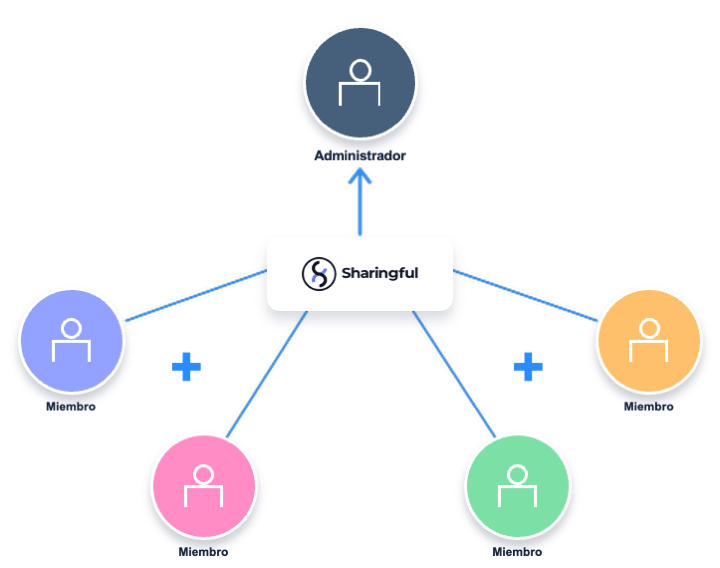
Information about sharing Apple Music Family
Benefits of Apple One Premium compared to Apple Music
Both Apple One Premium and Apple Music have their respective strengths that can appeal to different types of users.

Apps included with Setapp
Setapp offers a wide range of high-quality applications for a variety of tasks.

Free Apple One offer for 3 months
Apple One combines several Apple services into a single subscription, allowing users to simplify expenses and access the entire Apple ecosystem.

How much does the Apple Music family plan cost?
The price of the Apple Music family plan is €16.99 per month.

Ways to have more space on iCloud
There are several ways to get more iCloud space, such as subscribing to Apple One.

All Apple subscriptions
Apple offers a wide range of subscriptions to meet a variety of tastes and needs.

How to get Apple Music for free
Access Apple Music for free or at a very reduced price in 2025 is easier than ever.

Shared Apple TV+: everything you can share with Apple One and how to pay less
Apple TV+ has the best series right now and lets you share legally — we’ll explain how to pay almost nothing per month.