How to cancel Netflix: steps and alternatives to pay less
Thinking of cancelling Netflix because of the price? Share the Premium plan with Sharingful and pay just €10.66/month instead of €22.99. Save over 50%.

Summarise with AI
More and more users are looking for ways to cancel Netflix, whether because the price has increased, they don't get enough value from it, or simply because they want to review their monthly expenses. Whatever your reason, the process is simple, and in this article, we explain how to do it step by step from the website. But before you hit that button, we also tell you about an alternative that many are unaware of and that can save you more than half of what you are currently paying.
Why so many people want to unsubscribe from Netflix
Netflix has raised its prices several times in recent years. In Spain, the Premium plan currently costs €22.99/month, a figure that many users no longer consider reasonable, especially if they only use it occasionally or if they share the cost with others without any organization.
This is compounded by the removal of password sharing between different households, which forced many to pay for separate accounts or seek other solutions. It's no surprise that "cancel Netflix" and "unsubscribe from Netflix" are searches that continue to grow.
How to cancel Netflix from the web step by step
The process to unsubscribe from Netflix in Spain is quick and does not require calling any number or speaking to anyone. Everything is done from the web in less than two minutes.
Step 1. Go to netflix.com and log in with your account.
Step 2. Click on your avatar in the top right corner and select Account.
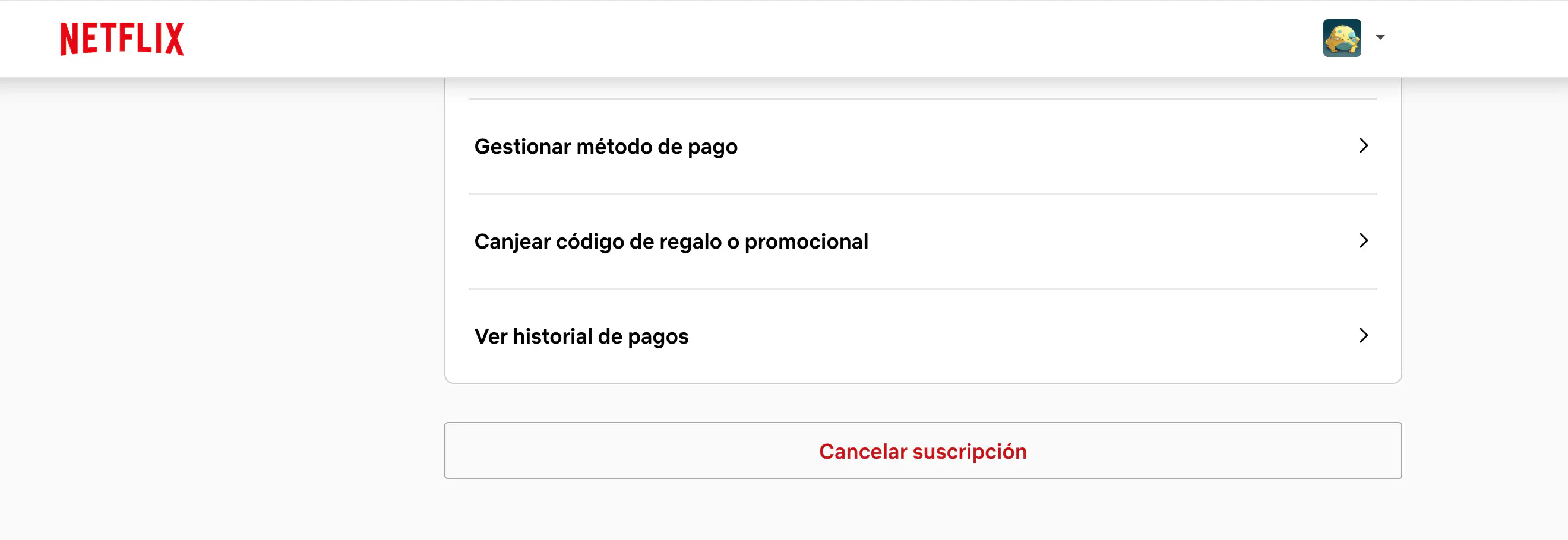
Step 3. In the "Membership and Billing" section, click on Cancel Membership.
Step 4. Netflix will show you a summary of what you will lose. Click on Continue to proceed.
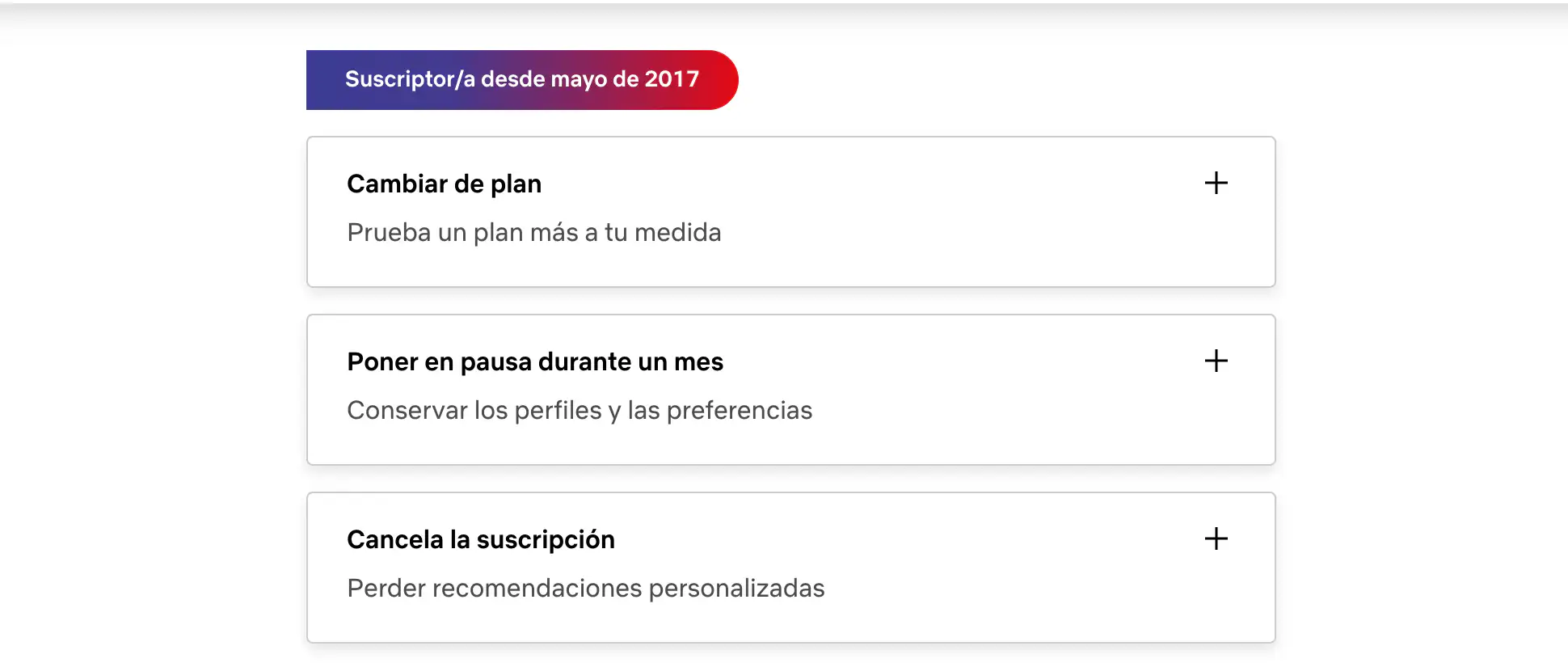
Step 5. Confirm the cancellation. You will receive a confirmation email and can continue using Netflix until the end of the current billing period.
An important detail: Netflix does not issue refunds for unused time. If you cancel mid-month, you will still have access until the payment cycle ends.
What happens after cancelling Netflix?
When you unsubscribe, your account enters a 10-month grace period during which Netflix saves your profiles, history, and preferences. If you decide to return before that time, you recover everything just as you left it.
After 10 months, the data is permanently deleted, and you would have to start from scratch.
Before cancelling, consider this alternative
If the main reason for cancelling is the price, cancelling may not be the best solution. There is an alternative that allows you to continue enjoying Netflix while paying much less: sharing the cost of the Premium plan with others through Sharingful.
The Netflix Premium plan costs €22.99/month and includes the option to add up to 2 extra subscribers. By splitting that cost among 3 people, each pays €10.66/month, which is a saving of more than 50% compared to the individual price. And if you are the one managing the main account, you can recover up to €21.32/month by receiving payments from the other members directly through Sharingful.
The platform manages payments automatically, without fees and without the need to chase anyone every month for the transfer.
How sharing Netflix with Sharingful works
The process is very simple. If you already have an active Netflix Premium subscription, you create a group on Sharingful and add up to 2 more people as extra subscribers. Each member pays their share automatically each month, and you receive the money without doing anything.
If you prefer to join an existing group instead of managing it yourself, you can also do so: you pay €10.66/month and enjoy Netflix Premium without needing to have an account in your name.
It's the same Netflix experience, with the same quality and content, but paying a fraction of the price. You can see more details on how it works in the guide on cómo compartir Netflix de forma correcta.
Other ways to watch Netflix cheaper
If you don't want to share your account with anyone and also don't want to pay the full price, there are some options worth knowing.
Switch to the Standard plan with ads. Netflix offers a cheaper plan that includes advertising. The experience is similar but with interruptions from time to time, similar to traditional television.
Take advantage of trial periods or promotions. Although Netflix removed its free trial in Spain some time ago, it occasionally offers promotions through telecommunications operators or associated services. You can check some options in the article on como ver Netflix gratis.
Pause the subscription instead of cancelling it. Netflix does not officially offer the option to pause, but you can cancel and return whenever you want within the 10-month grace period. If you know you will only use Netflix during specific seasons, this is a valid strategy.
Is it worth cancelling Netflix or is it better to look for an alternative?
Cancelling makes sense if you don't use the service directly or if you want to try another platform for a while. But if the problem is the price, unsubscribing only to return when something you are interested in is released is not the most efficient solution.
Sharing the cost of Netflix with others through Sharingful is probably the smartest option if you want to continue enjoying Netflix without overpaying. For €10.66/month, you have full access to the Premium plan, with 4K, downloads, and up to 4 simultaneous screens, paying less than half the official price.